
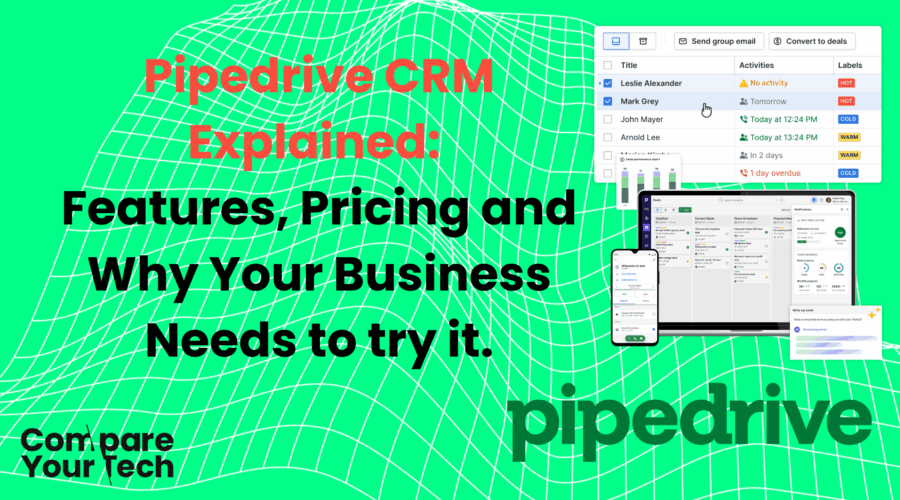
Pipedrive CRM Explained: Features, Pricing and Why Your Business Needs to try it.
Picture this: your sales team is juggling hundreds of leads, struggling to remember who to follow up with next, losing deals because of missed communication, and lacking clarity on which deals are truly hot. Sound familiar? What if you could visualise your entire sales pipeline in one glance, automate repetitive admin tasks, and empower your team to close deals faster, all through a tool that’s intuitive, scalable and built with salespeople in mind? That’s where Pipedrive comes in.
In this blog, we’ll dive deep into what Pipedrive is, why a company should seriously consider buying it, who it’s best suited for, its features and benefits, real-world use cases, pricing structure, and what sets it apart from other CRMs. This is your complete, SEO-friendly guide to Pipedrive, ready for your WordPress blog.
What Is Pipedrive?
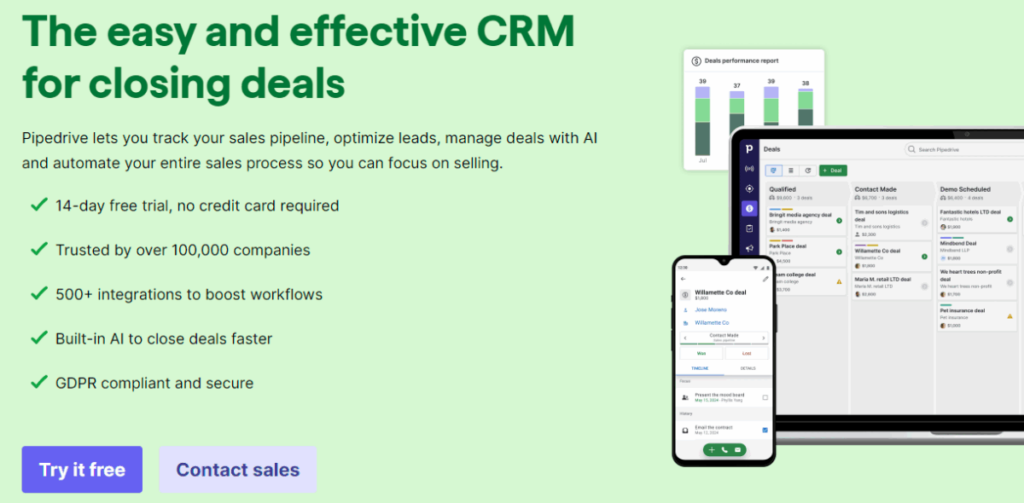
Pipedrive is a cloud-based CRM (Customer Relationship Management) and sales pipeline management tool designed to help sales teams track, manage and grow their sales more effectively. It presents deals in a visual pipeline (often in a Kanban-style interface), lets you manage leads, automate tasks, monitor performance metrics, integrate with many other tools, and use AI to assist with next steps.
Pipedrive is built around the philosophy of “activity-based selling”, encouraging you to focus on what actions (calls, emails, meetings) will push deals forward. Because of its intuitive design and sales focus, it is often described as a CRM “for salespeople, by salespeople.”
It is trusted by over 100,000 companies globally. Pipedrive was founded in 2010 and operates as a SaaS business headquartered (originally in Estonia).
Why a Company Should Purchase Pipedrive
Before we dig into features, let’s tackle the “why.” What makes Pipedrive a compelling investment?
- Reduce lost opportunities: A clean, visual pipeline ensures no deal falls through the cracks. You’ll know where every opportunity is, and who is responsible.
- Save time on admin tasks: Automations and workflows reduce repetitive manual work (e.g. follow-ups, task creation).
- Better forecasting & decision making: With dashboards, reports and metrics, leadership gains visibility into pipeline health and sales performance.
- Scalable solution: You can start small and expand as your team or sales complexity grows.
- Ease of adoption & usability: Low learning curve leads to faster onboarding and higher user adoption.
- Integrations & extensibility: You can connect Pipedrive to other tools in your stack (email, marketing, accounting, etc.).
- Return on investment (ROI): The time saved, improved conversion rates and pipeline visibility frequently offset the subscription cost many times over.
In short: Pipedrive gives structure, visibility, automation, and scale to your sales process, turning chaos into a predictable engine.
Who Should Use Pipedrive?
While Pipedrive is broadly useful, it is especially well suited to:
- Small to medium-sized businesses (SMBs) that want a powerful but easy to use CRM.
- Sales teams with defined pipelines, B2B, B2C sales, agencies, consultancies, SaaS companies, real estate, etc.
- Businesses that do not need extremely complex enterprise CRM frameworks, but want reliability, flexibility, and sales focus.
- Companies that already use multiple tools (e.g. email apps, marketing automation, accounting) and want to integrate them.
- Teams that value simplicity, speed and clarity over over-engineering.
Pipedrive may be less ideal if your operations require heavy marketing automation, support ticketing, or deep custom entity relationships (where more robust enterprise CRMs might dominate). But for sales pipeline management and growth, it shines.
Features & Benefits (Full Breakdown)
Below is a detailed breakdown of Pipedrive’s features, how they’re used, and the benefits they bring:
1. Visual Sales Pipeline & Deal Management
- Drag & drop interface showing deals by stage (e.g. “Prospect → Contact → Proposal → Closed”)
- Multiple pipelines support (you can map separate product lines or verticals)
- Deal rotting (alerts for deals stagnating)
- Custom fields for deals (you capture what matters to your sales process)
- Link deals to products / services so you see value and margin
Benefit: You always know exactly where each opportunity is, what needs doing next, and can visualise bottlenecks in your process.
2. Contact & Lead Management
- Centralised contact database (companies, people)
- Smart contact data (auto enrich from web)
- Timeline view for each contact (all communications, activities, files)
- Linked deals, calls, emails, notes per contact
Benefit: Single source of truth for all client information; no more scattered spreadsheets.
3. Email & Communication Tools
- Two-way email sync (so emails sent from external clients get mirrored in Pipedrive)
- Email open & click tracking
- Email templates & merge fields
- Group emailing (bulk emails to selected contacts)
- Activity-based reminders (so you never forget a follow-up)
Benefit: Communication stays in context of deals, saving switching apps; you also get insight into engagement (opens, clicks).
4. Activities & Workflow Automation
- Create custom activity types (calls, meetings, tasks)
- Automated workflows (e.g. “when deal moves to this stage, schedule a follow-up email”)
- Triggers (e.g. when a lead responds, move to next stage)
- Recurring activities
Benefit: Cuts down manual work, ensures consistency, reduces human error, ensures no lead is forgotten.
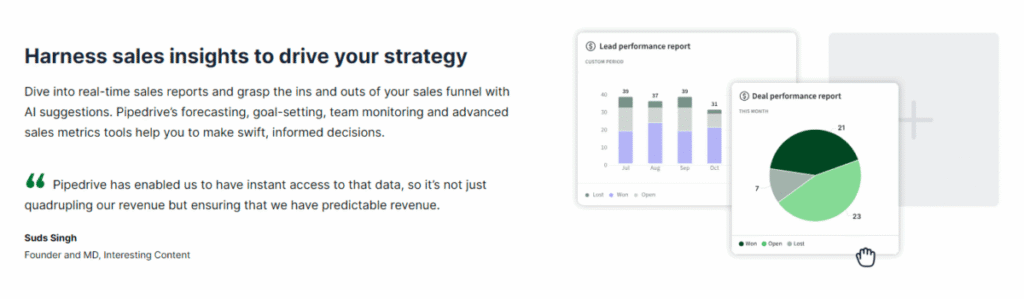
5. Reporting, Dashboards & Analytics
- Prebuilt dashboard with metrics (e.g. deals won, conversion rates, pipeline velocity)
- Custom reports (filter by owner, time, deal stage)
- Revenue forecasting (based on pipeline probabilities)
- Goals & targets tracking per user / team
- Insights assistant (AI suggestions for where to focus)
Benefit: Data-driven decisions become possible; you spot trends, gaps, and opportunities early.
6. Security & Permissions
- Role-based permissions and visibility (you can limit who sees what)
- Visibility groups (divide teams across pipelines or territories)
- Two-factor authentication (2FA)
- Security dashboard with alerts & rules
Benefit: You maintain control over sensitive data, and ensure proper access levels for team members.
7. Mobile App & Accessibility
- Native iOS and Android apps (update deals, capture info on the go)
- Offline support (offline edits sync once online)
- Web browser access from anywhere
Benefit: Your salespeople aren’t tied to their desks — they can work from the field, in meetings, at client sites.
8. Integrations & Marketplace
- Over 500 integrations (email platforms, marketing tools, accounting systems, telephony, Zapier, etc.)
- API access for custom integrations
- Marketplace apps (for extra functionality)
Benefit: Pipedrive fits into your existing tech stack rather than replacing it outright.
9. Add-ons & Extra Modules
Some modules are optional depending on your plan:
- LeadBooster (web forms, chatbots, visitor tracking)
- Smart Docs (document generation, eSignatures)
- Campaigns (email marketing campaigns)
- Projects (task & project tracking linked to deals)
These give you expanded capabilities without needing to adopt a full separate tool.
Use Cases / Real-World Examples
Here are some scenarios where companies benefit from Pipedrive:
A. SaaS Company Acquiring B2B Clients
They use Pipedrive to manage inbound leads, score them, nurture via email, and move them through a pipeline. They link deals with subscription values, forecast revenue, and ensure reps know next actions.
B. Digital Agency / Consultancy
Each new prospect gets a pipeline slot. They keep all communication, proposals, and deliverables linked. Automations remind team members to send proposals or follow up. Projects add-on tracks campaign tasks.
C. Real Estate / Property Firm
They treat each property or lead as a deal, tracking viewings, offers, contracts. Agents use mobile app on the go at site visits. LeadBooster forms capture interest from website and automatically feed into pipelines.
D. SMB Sales Teams
For a small sales team, Pipedrive becomes the central hub: all leads, calls, meetings and tasks in one interface. Owners can see individual rep performance, pipeline health across the business, and coach where needed.
E. Integration with Accounting / Invoicing / Support
Using integrations, a business can link closed deals to invoicing software (e.g. Xero, QuickBooks) so they automatically generate invoices. Or link to support systems so that after a sale, customer support actions begin.

Pipedrive Pricing (UK / International) & Plans
Pipedrive offers multiple subscription tiers (seats) and optional add-ons. You pay per user (seat). You can opt for monthly billing or get discounted rates via annual billing.
As of recent offerings, there are five core plans:
| Plan | Key Features / Additions | Suitability |
|---|---|---|
| Essential | Basic pipeline, deal & contact management, calendar sync, activity tracking | Entry point for small teams |
| Advanced | Adds email sync, templates, workflow automation, web integrations | For growing teams needing automation |
| Professional | Adds custom reports, team goals, revenue forecasting, enhanced security | For teams needing deeper insights |
| Power | More advanced customisation, permissions, visibility settings | For mid-sized teams with structure |
| Enterprise | Full features, unlimited automation, onboarding support, dedicated account management | Larger organisations with complex needs |
The exact pricing (UK) has varied over time. For instance, one UK review lists:
- Essential: ~ £14 per user/month (annual billing)
- Advanced, Professional, Power, Enterprise ascend in price with added capabilities.
Also, add-ons (e.g. LeadBooster, Campaigns, Projects, Smart Docs) may incur extra costs.
It’s important to check Pipedrive’s official site for current UK pricing, as currency conversion, promotions, or plan changes may shift costs.
Tips on pricing choices:
- Start with a lower plan and upgrade when you hit feature limits.
- Check which features you absolutely need (e.g. automation, custom reports) before selecting.
- Consider the cost of add-ons, sometimes they push you into a higher tier.
- Calculate total cost = (user seats × plan cost) + add-ons + possible onboarding services.
What Makes Pipedrive an Ideal Tool (Differentiators)
Here’s what sets Pipedrive apart:
- Sales-first mindset: Unlike many CRMs that start with marketing or service, Pipedrive is built around selling.
- Ease of use: The UI is intuitive, drag-and-drop, minimal friction. You don’t need a developer to make it work.
- Visual clarity: The pipeline view is central and powerful; you immediately see where deals are stuck.
- Modularity & Scalability: You can start simple and grow into more advanced features, add-ons, users.
- Strong automation at mid tiers: Many CRMs reserve automation for very high price tiers, but Pipedrive provides useful automation earlier.
- Marketplace & integrations: Because it plays nicely with many tools, you don’t have to abandon your current stack.
- Mobile & remote support: The mobile app keeps sales moving even outside the office.
- Affordability relative to enterprise CRMs: You get many “must have” features at a reasonable cost.
- Focus on conversion & execution: Deals are won by action. Pipedrive pushes your team to act, not just store data.
- Transparent upgrade path: No hidden “enterprise only” lockouts that break your growth.
Pipedrive is a powerful, sales-centric CRM that combines clarity, automation, usability and flexibility, exactly what many growing companies need to turn leads into revenue predictably. Its visual pipeline, activity-based approach, robust integration ecosystem and modular upgrade path make it especially compelling for SMEs and sales teams who want to stay lean but scale smartly.
A well-chosen Pipedrive plan (plus relevant add-ons) often pays for itself via improved conversion rates, time savings, fewer lost deals and better forecasting. If your business relies on managing leads, following up consistently, and closing sales, Pipedrive is unquestionably a strong candidate for your stack.