
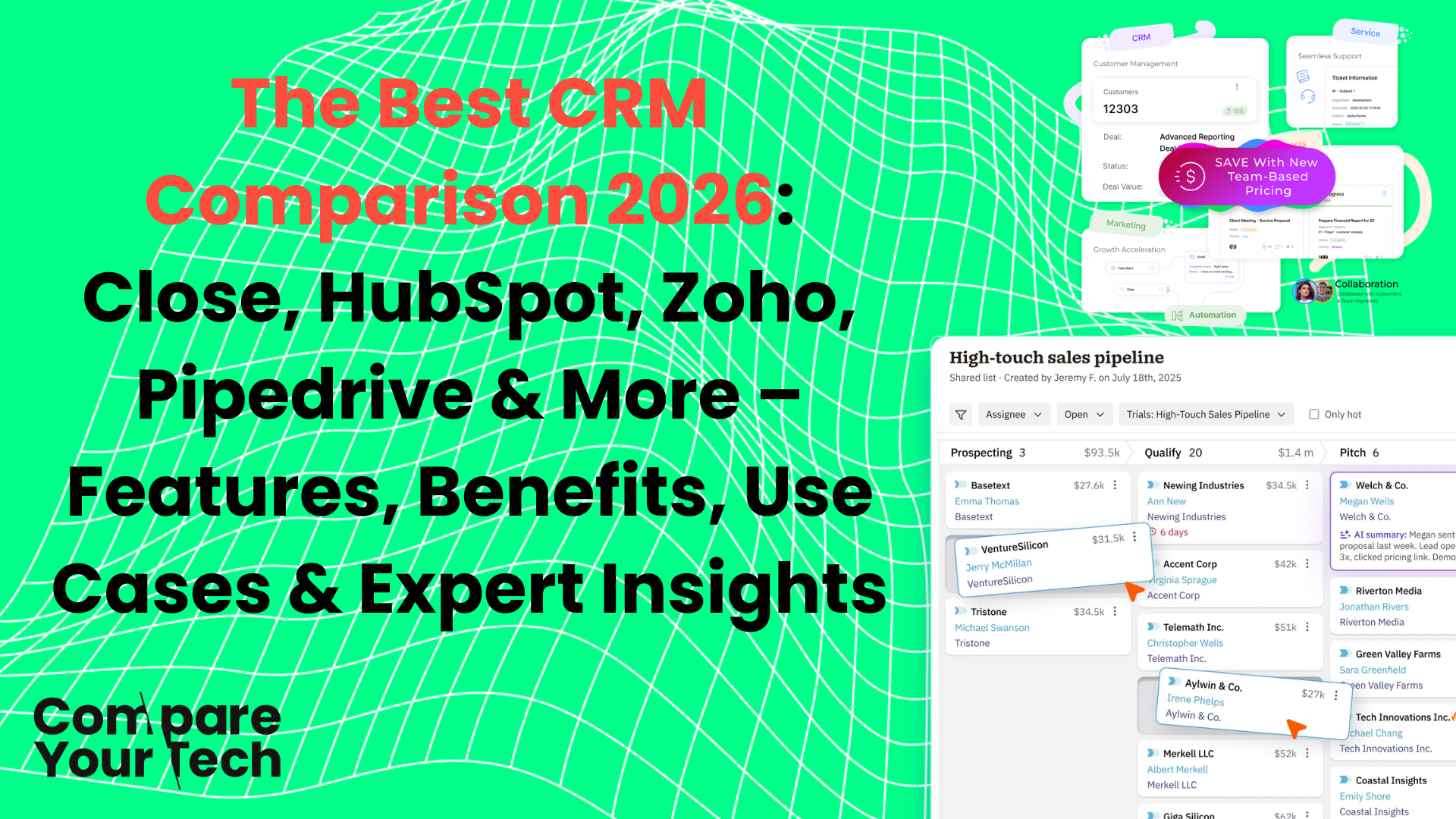
The Best CRM Comparison 2026: Close, HubSpot, Zoho, Pipedrive & More – Features, Benefits, Use Cases & Expert Insights
Why the Right CRM Matters in 2026
In 2026, a CRM is no longer just a digital contact list. Modern CRMs are business-critical platforms that drive sales, marketing, customer engagement, analytics, and AI-powered insights. Choosing the wrong CRM can result in wasted budget, poor adoption, and fragmented processes, while selecting the right one becomes a strategic growth engine, enabling your teams to:
- Track and convert leads faster
- Automate repetitive sales and marketing tasks
- Predict revenue trends using AI insights
- Align sales, marketing, and customer success for a single source of truth
This guide provides a comprehensive comparison of 12 leading CRMs, Close, Attio, HubSpot, Zoho, Folk, Salesflare, EngageBay, Keap, Boulevard, Nutshell, Pipedrive, and ClearCRM, covering features, benefits, integrations, limitations, AI capabilities, and ideal use cases.
Close CRM – Sales Execution Powerhouse
Overview
Close is built as a communication-first CRM, focusing on high-velocity outbound sales. Unlike marketing-heavy CRMs, Close prioritises communication workflows, calls, emails, and SMS are at the centre of the user experience. Its design philosophy: reduce friction between lead acquisition and deal closure.
It is particularly popular with SaaS companies, inside sales teams, and organisations with high-volume outbound pipelines.
Features
- Communication Suite: Native VoIP calling with power diallers and predictive dialling, SMS integration, and synced email workflows. All interactions are tracked automatically, so reps spend less time on data entry.
- Sales Automation: Auto sequences, task reminders, pipeline movement triggers, and multi-stage workflow automation.
- Pipeline & Analytics: Multi-pipeline management, conversion tracking, sales velocity reports, activity dashboards, and opportunity-level insights.
- AI Capabilities: AI-assisted call transcription, deal risk analysis, and sentiment detection to identify which deals need attention.
- Integrations: Native integrations with Zapier, Slack, HubSpot Marketing Hub, Gmail/Outlook, and other productivity tools.
Benefits
- Reduces administrative workload, allowing reps to focus on selling.
- High adoption due to a simple interface focused on activity, not complex objects.
- Improves pipeline visibility and conversion forecasting.
- Supports high-volume outbound campaigns without needing multiple tools.
Limitations
- Limited inbound marketing and content automation.
- Moderate customisation compared to enterprise CRMs.
- Not ideal for relationship-focused or non-linear workflows.
Ideal Users
- SaaS companies with SDRs and BDRs.
- Startups with outbound-heavy sales teams.
- Inside sales teams needing a fast, integrated communication workflow.
Attio – Flexible, Data-Native CRM
Overview
Attio is a modern, relational data CRM, focusing on flexibility and collaboration. It treats CRM objects—contacts, partners, deals—not as fixed entries, but as relational data structures that can be customised. This makes Attio ideal for startups, consultancies, and tech companies managing complex relationships or non-linear sales processes.
Features
- Custom Objects & Relationships: Create contacts, investors, partners, or custom objects and link them dynamically.
- Automation & Workflows: Event-triggered automation, smart lists, and AI-driven segmentation.
- Collaboration: Real-time team updates, shared contact databases, and role-based permissions.
- AI & Enrichment: Automatic data enrichment from emails and web sources, AI-driven contact prioritisation, and relationship insights.
- Integrations: Zapier, Slack, email clients, API-first architecture for seamless connectivity.
Benefits
- Highly adaptable to unique business models.
- Facilitates complex relational workflows beyond standard sales pipelines.
- Encourages collaboration and centralises team knowledge.
- Supports data-driven decisions through AI enrichment.
Limitations
- Smaller integration ecosystem than established CRMs.
- Steeper setup and configuration curve.
- Less suitable for teams needing a ready-to-use traditional CRM.
Ideal Users
- Startups and scale-ups with complex data models.
- Product-led growth businesses requiring custom workflows.
- Organisations managing partnerships, investors, or multiple relationship layers.
HubSpot CRM – The All-in-One Platform
Overview
HubSpot CRM is a full growth platform integrating sales, marketing, and customer service into a single ecosystem. Its modular design allows companies to add capabilities as they grow. HubSpot is ideal for marketing-led organisations and businesses seeking an all-in-one solution.
Features
- Sales Pipeline: Visual deal tracking, forecasting, email tracking, meeting scheduling, and sales automation.
- Marketing Automation: Email campaigns, landing pages, forms, A/B testing, and lead nurturing workflows.
- Customer Service: Ticketing, live chat, chatbots, and knowledge base management.
- AI Capabilities: Predictive lead scoring, content generation, workflow suggestions, and CRM analytics.
- Integrations: 500+ apps including Gmail, Outlook, Shopify, Slack, Salesforce, and social platforms.
Benefits
- Aligns marketing, sales, and service teams.
- Centralises customer data for informed decision-making.
- Scales with growth from startup to enterprise.
- Supports inbound marketing and content-driven strategies effectively.
Limitations
- Premium features can be costly.
- Complexity grows with more hubs activated.
- Medium learning curve for smaller teams.
Ideal Users
- Marketing-driven organisations.
- Growing companies requiring a centralised ecosystem.
- Teams needing integration between sales, marketing, and customer support.
Zoho CRM – Enterprise-Level Features at SMB Pricing
Overview
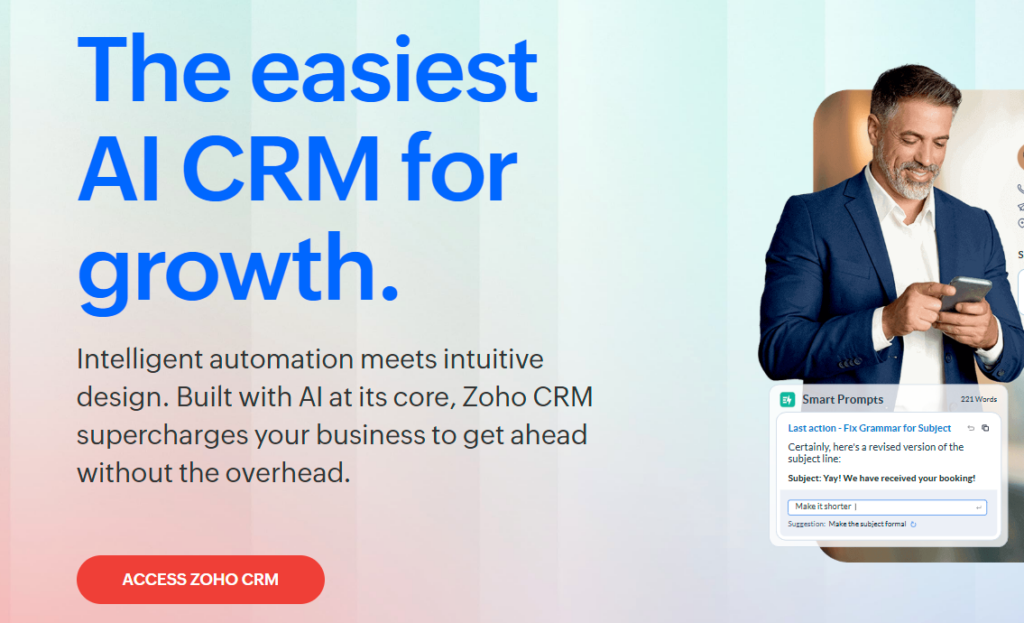
Zoho CRM provides high customisation, automation, and AI insights at a cost-effective price, making it a strong choice for SMBs that require deep functionality without enterprise pricing.
Features
- Sales & Pipeline: Multi-pipeline management, lead scoring, deal tracking, and territory management.
- Automation: Workflow automation, macros, Blueprints, and automated lead assignment.
- Omnichannel Communication: Email, telephony, live chat, and social media integration.
- AI Assistant (Zia): Predictive lead scoring, anomaly detection, trend analysis, and workflow recommendations.
- Reporting & Analytics: Custom dashboards, KPI tracking, sales forecasts, and advanced analytics.
- Integrations: Zoho suite, Google Workspace, Office 365, Slack, social media, and third-party apps via Zapier.
Benefits
- Supports complex business processes through highly customisable workflows.
- Automates repetitive tasks and improves forecasting.
- Affordable solution with enterprise-level capabilities.
- Scales with business growth without requiring platform changes.
Limitations
- Steeper learning curve for new users.
- UI is less modern than competitors.
- Advanced configuration may require technical resources.
Ideal Users
- SMBs needing customisation and automation.
- Cost-conscious businesses.
- Teams with multi-stage or multi-pipeline sales processes.
Folk CRM – Relationship-Centric Platform
Overview
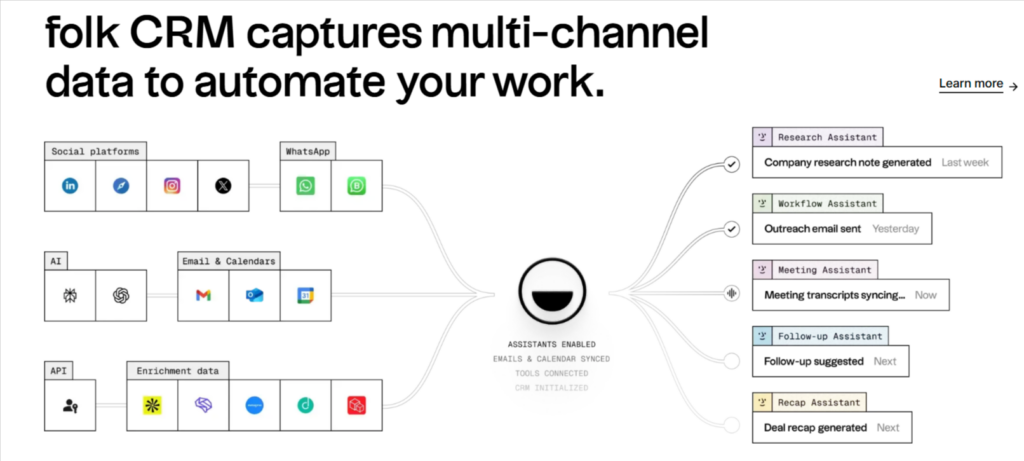
Folk is a relationship-first CRM designed for teams who manage contacts and connections rather than transactional sales. It’s widely used by consultancies, recruitment firms, investors, and networking-focused organisations. The system focuses on keeping relationship intelligence central to daily workflows rather than forcing linear sales pipelines.
Features
- Contact Enrichment: Automatically gathers data from emails, LinkedIn, and other sources to enrich profiles.
- Shared Contact Databases: Teams can collaborate in real-time, with shared views of contacts and relationships.
- Tagging and Segmentation: Organise relationships by type, industry, or importance.
- Pipeline Tracking: Lightweight deal or project tracking if needed.
- Integrations: Connects with Gmail, Outlook, LinkedIn, and Slack to maintain real-time updates.
Benefits
- Eliminates manual contact updates, saving time.
- Strengthens team collaboration with shared contact visibility.
- Helps users maintain context in relationships, improving client engagement.
- Easy adoption for non-technical teams due to simple, clean interface.
Limitations
- Minimal marketing automation and campaign capabilities.
- Limited reporting and analytics for large datasets.
- Not suitable for high-volume outbound sales teams.
Ideal Users
- Recruitment agencies tracking candidate relationships.
- Venture capital or investor relations teams.
- Consultancies managing client networks.
Salesflare – Automation-Focused CRM for B2B Teams
Overview
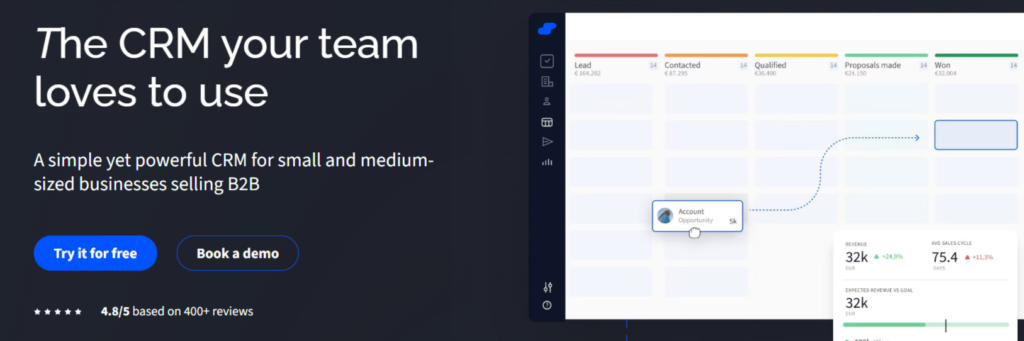
Salesflare is built for small B2B teams that want to automate CRM data capture. Its philosophy is to remove manual entry entirely, letting sales teams focus on selling rather than administrative tasks.
Features
- Automatic Contact Capture: Extracts contact info from email, social, and company interactions.
- Pipeline Management: Drag-and-drop pipelines with activity tracking.
- Email Integration: Tracks opens, clicks, and responses automatically.
- Automation: Workflow triggers for follow-ups, reminders, and deal movements.
- Analytics: Sales activity dashboards and forecasting insights.
- Integrations: Connects with Gmail, Outlook, Zapier, LinkedIn, and other productivity apps.
Benefits
- Eliminates manual data entry, ensuring data quality.
- Improves team productivity by automating repetitive tasks.
- Provides a clear overview of pipeline activity.
- Lightweight and easy to implement, reducing onboarding time.
Limitations
- Limited marketing and campaign features.
- Smaller ecosystem compared to enterprise CRMs.
- Less flexibility for highly custom workflows.
Ideal Users
- Small B2B teams and SaaS startups.
- Organisations wanting minimal administrative overhead.
- Teams with limited resources for CRM management.
EngageBay – Affordable All-in-One CRM
Overview
EngageBay is a budget-friendly all-in-one CRM that combines marketing, sales, and support for small businesses. It is often positioned as a lower-cost alternative to HubSpot, offering essential CRM functionality for companies that want integrated capabilities without high investment.
Features
- Sales CRM: Lead management, pipeline tracking, and task automation.
- Marketing Automation: Email campaigns, autoresponders, landing pages, and web forms.
- Customer Support: Ticketing, live chat, and helpdesk functionality.
- Integrations: Connects with Gmail, Outlook, Zapier, Shopify, and social media platforms.
- Analytics: Campaign reporting, sales dashboards, and customer engagement metrics.
Benefits
- Consolidates multiple functions into a single platform, reducing tool costs.
- Simple adoption for small teams.
- Supports full customer lifecycle management from lead to support.
- Offers quick ROI for startups or small businesses with limited budgets.
Limitations
- Marketing automation is less advanced than HubSpot.
- Limited scalability for larger enterprises.
- Interface may feel less modern than competitors.
Ideal Users
- Startups and small businesses seeking a full-featured CRM at low cost.
- Budget-conscious companies needing marketing and support features integrated with CRM.
- Teams seeking simplicity over enterprise complexity.
Keap – CRM with Integrated Business Operations
Overview
Keap combines CRM functionality with operational tools like invoicing, payments, and scheduling, making it ideal for service-based SMBs. It is built to support small teams that want both sales and operations in one system.
Features
- CRM & Sales Automation: Contact management, pipeline tracking, and workflow automation.
- Business Operations: Invoicing, recurring payments, appointment scheduling, and task management.
- Marketing Automation: Email campaigns, follow-ups, and nurture sequences.
- Integrations: Gmail, Outlook, Zapier, QuickBooks, and eCommerce platforms.
- Analytics: Sales and revenue tracking dashboards.
Benefits
- Streamlines both sales and business operations.
- Reduces reliance on multiple tools for SMBs.
- Simplifies client management from lead to invoice.
- Enhances small team efficiency with automation.
Limitations
- Less suitable for larger organisations.
- Reporting capabilities are basic compared to enterprise CRMs.
- Marketing automation is moderate in sophistication.
Ideal Users
- Solopreneurs and small service-based businesses.
- Teams needing both CRM and business operations in a single platform.
- Organisations prioritising operational efficiency alongside sales.
Boulevard – Modern, User-Friendly CRM
Overview
Boulevard is designed with simplicity and modern design in mind, targeting early-stage startups or teams that want clean, minimal CRM functionality without complexity.
Features
- Contact & Pipeline Management: Visual pipeline boards and task tracking.
- Automation: Basic workflow automation for tasks and deal movement.
- Integrations: Gmail, Outlook, Slack, and Zapier.
- Reporting: Simple dashboards for deals and activity tracking.
Benefits
- Extremely easy to adopt with minimal training.
- Clean, intuitive interface reduces friction.
- Quick onboarding for early-stage teams.
- Focused on essential CRM needs, avoiding bloat.
Limitations
- Lacks advanced automation and analytics.
- Limited marketing tools.
- Not ideal for enterprise or complex sales workflows.
Ideal Users
- Early-stage startups or lean teams.
- Teams prioritising usability and simplicity.
- Businesses that want a CRM without overwhelming features.

Nutshell CRM – Balanced Sales & Marketing
Overview
Nutshell combines sales CRM functionality with built-in marketing tools, providing a balanced solution for small and mid-sized businesses.
Features
- Pipeline Management: Customisable visual pipelines.
- Email Marketing: Campaigns, sequences, and tracking.
- Automation: Follow-up reminders and simple workflow automation.
- Analytics: Sales dashboards, KPI tracking, and reports.
- Integrations: Gmail, Outlook, Zapier, and accounting tools.
Benefits
- Combines sales and marketing functionality in one platform.
- Easy implementation with moderate training.
- Provides actionable insights on deals and pipeline performance.
- Improves adoption through simple, balanced feature set.
Limitations
- Limited AI and predictive analytics.
- Not ideal for complex enterprise workflows.
- Marketing tools are basic compared to dedicated platforms.
Ideal Users
- SMB sales teams needing email marketing integrated with CRM.
- Teams seeking balanced, easy-to-adopt solutions.
- Companies looking for a moderate learning curve.
Get 10% Off Nutshell CRM Today!
Pipedrive – Sales-Focused Visual CRM
Overview
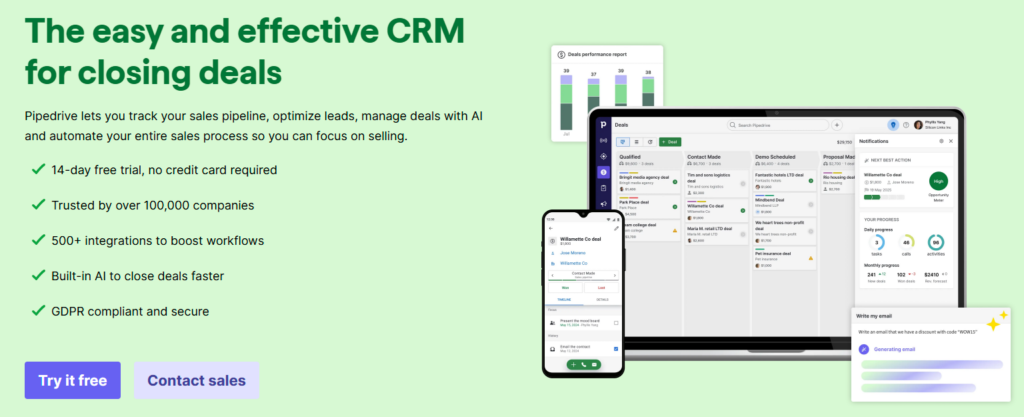
Pipedrive is a pipeline-first CRM designed to help sales teams visualise, manage, and close deals efficiently. It emphasises simplicity, visual clarity, and fast adoption.
Features
- Visual Pipeline: Drag-and-drop deal stages, activity timelines.
- Automation: Workflow automation, task reminders, and follow-up sequences.
- AI Sales Assistant: Predictive insights, deal prioritisation, and activity suggestions.
- Integrations: Gmail, Outlook, Zapier, Slack, Trello, and marketing apps.
- Analytics: Pipeline and activity reports, conversion insights, and revenue tracking.
Benefits
- Visual pipelines improve clarity and adoption among sales reps.
- AI insights help prioritise high-value deals.
- Reduces friction in tracking deal progress and activities.
- Fast onboarding and simple workflows increase team productivity.
Limitations
- Limited marketing automation features.
- Advanced reporting may require additional modules.
- Less suitable for complex enterprise operations.
Ideal Users
- Sales-focused SMBs or mid-market teams.
- Teams needing visual, intuitive deal management.
- Organisations prioritising speed of adoption and pipeline clarity.
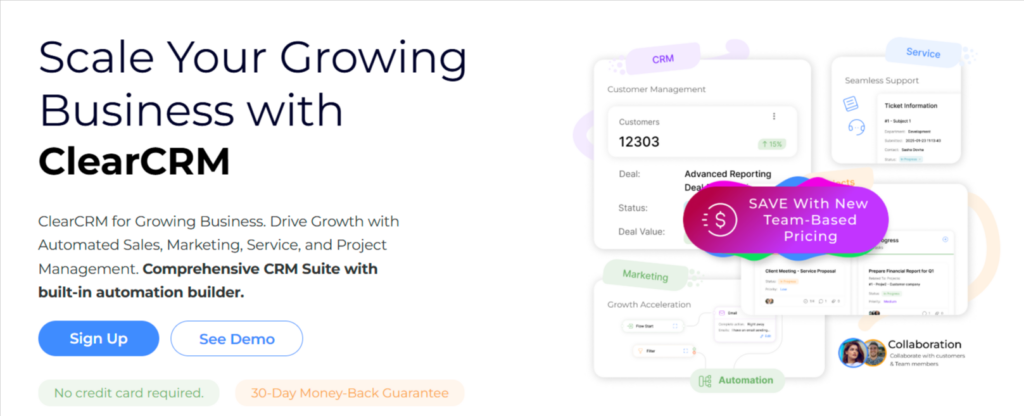
ClearCRM – Lightweight, Minimalist CRM
Overview
ClearCRM is designed for small teams or freelancers needing basic CRM functionality. It is a lightweight alternative for companies moving from spreadsheets or minimal contact management tools.
Features
- Contact Management: Simple database for contacts and organisations.
- Pipeline Tracking: Basic deal tracking and task assignment.
- Automation: Limited workflow automation for reminders.
- Reporting: Simple dashboards for contacts and sales.
- Integrations: Gmail, Outlook, and Zapier.
Benefits
- Extremely easy to adopt with minimal learning curve.
- Focuses on essential CRM needs without unnecessary complexity.
- Cost-effective for micro-businesses or small teams.
- Provides a foundation to grow into more advanced CRMs later.
Limitations
- Minimal features compared to competitors.
- Limited scalability for growing organisations.
- No advanced marketing, AI, or analytics capabilities.
Ideal Users
- Freelancers or small businesses.
- Teams transitioning from spreadsheets or manual systems.
- Companies needing a simple CRM foundation without investment in complex platforms.
CRM Quick Comparison
| CRM | Core Focus | Ease of Use | Automation | AI Capabilities | Marketing Tools | Customisation | Ideal Users |
|---|---|---|---|---|---|---|---|
| Close | High-velocity sales execution | High | Strong | Moderate | Limited | Medium | SDR teams, SaaS, outbound sales teams |
| Attio | Flexible, relational CRM | Medium-High | Growing | Emerging | Limited | Very High | Startups, scale-ups, complex workflows |
| HubSpot | All-in-one growth platform | Medium | Advanced | Advanced | Excellent | High | Marketing-led organisations, scaling businesses |
| Zoho CRM | Feature-rich & cost-effective | Medium | Very Strong | Advanced (Zia) | Strong | Very High | SMBs, budget-conscious teams |
| Folk | Relationship-focused CRM | High | Basic | Light | Light | Medium | Recruitment agencies, consultancies, investor relations |
| Salesflare | Automation-focused B2B CRM | High | Strong | Moderate | Limited | Medium | Small B2B teams, SaaS startups |
| EngageBay | Affordable all-in-one CRM | High | Strong | Basic | Strong | Medium | Startups, small businesses on a budget |
| Keap | CRM + business operations | Medium | Strong | Moderate | Moderate | Medium | Solopreneurs, service-based SMBs |
| Boulevard | Modern, user-friendly CRM | High | Moderate | Early | Limited | Medium | Early-stage startups, teams prioritising usability |
| Nutshell | Balanced CRM & marketing | High | Moderate | Basic | Moderate | Medium | SMB sales teams, small marketing-focused teams |
| Pipedrive | Visual pipeline-focused CRM | Very High | Moderate | Basic | Limited | Medium | Sales-focused SMBs, pipeline-driven teams |
| ClearCRM | Lightweight, minimalist CRM | High | Basic | Minimal | Minimal | Low | Freelancers, micro-businesses, small teams |
Final Thoughts: Choosing the Right CRM in 2026
Selecting the right CRM is about matching the platform to your business strategy, team structure, and growth objectives.
Key Takeaways:
- Sales-driven teams: Close, Pipedrive – optimised for outbound pipelines and deal execution.
- Marketing-led teams: HubSpot, EngageBay – integrated marketing, sales, and support features.
- Cost-conscious SMBs: Zoho – enterprise-level functionality at affordable prices.
- Flexible, modern workflows: Attio – fully customisable relational data and collaboration-focused.
- Relationship-centric workflows: Folk – prioritises contacts and relationships over transactions.
- Small/simple teams: ClearCRM, Boulevard, Keap – lightweight, easy-to-adopt, operationally efficient.
Recommendations:
- Align with workflows: Choose a CRM that reflects how your team operates day-to-day.
- Ease of adoption: Ensure your team can use it effectively without friction.
- Scalability: The CRM should support growth without major platform changes.
A well-chosen CRM will boost efficiency, increase revenue, improve customer relationships, and provide actionable insights. Choosing poorly can lead to low adoption, wasted budget and operational inefficiencies.